

If you are unable to sign/upload the following documents, we will help you do so. Just call us at 828-585-4492 x1.
Your latest Duke Energy Bill including ‘Your Usage Snapshot’, Service Address, and Account Number (see sample below). It does not matter if the Bill is in someone else’s name. If you don’t have a digital copy to upload, just take a photo with your mobile phone and upload that.
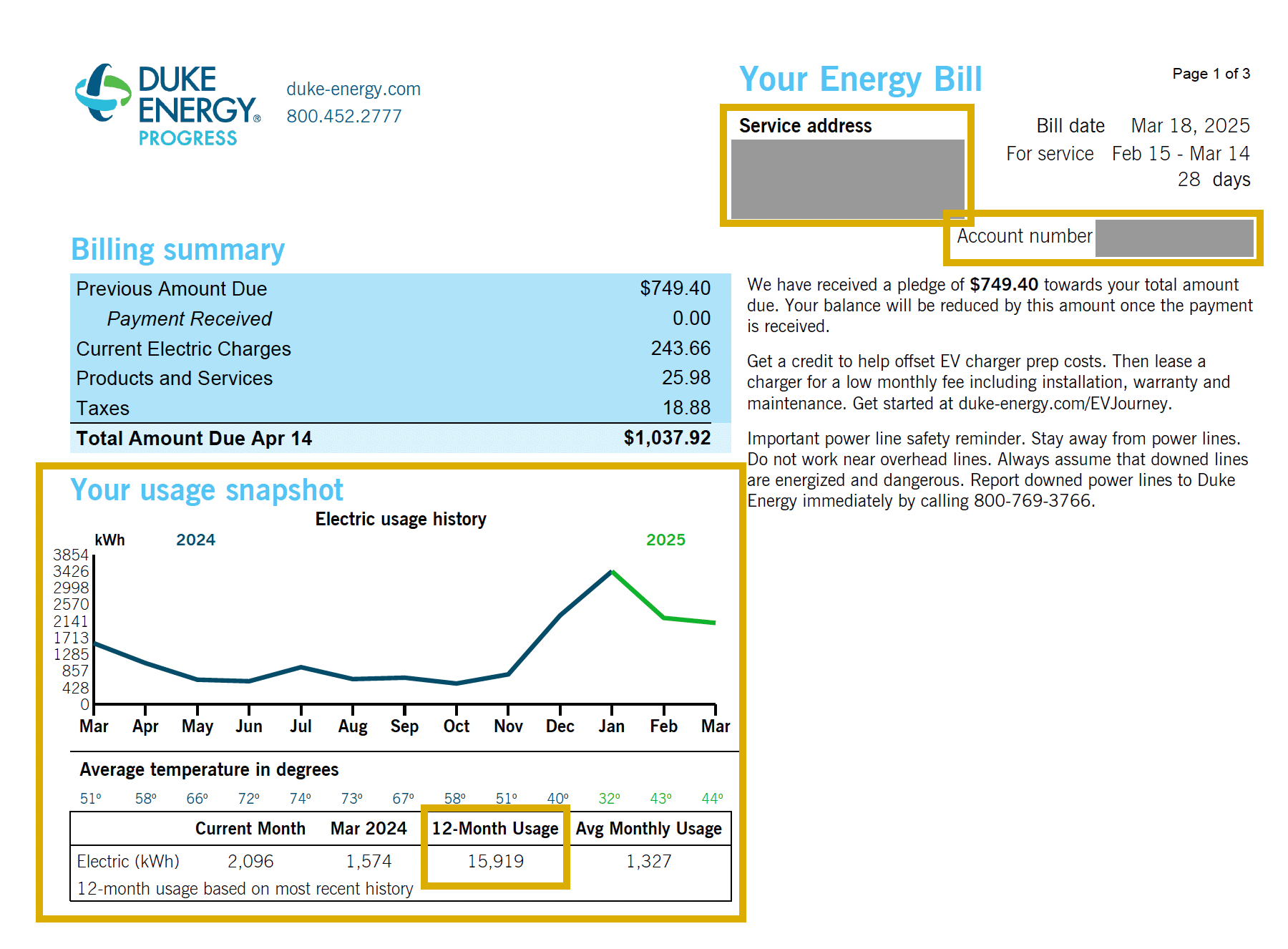
To access your Duke Bill online:
1) Go to www.duke-energy.com and login or register.
2) On your Account Dashboard screen there should be a “View Bill” button in the Summary section.
3) Download or take a screenshot of the PDF so that you can upload.
Proof of gross income (from options below) for EACH ADULT in the household.
- SSI / Supplemental Security Income Award Letter (most recent)
- SSDI / Disability Award Letter (most recent)
- One month’s worth of pay stubs
- Latest Tax Forms (1040 / W-2 / 1099)
- Veteran’s Benefits
- IF unemployed or do not have any “documented income” then sign our Statement of No Documented Income
Once we receive your submission, our Client Intake Coordinator will reach out to confirm details and finalize your application to get you scheduled. Questions? Call us at 828-585-4492 x1.